Berlify - Simplify your Berlin
A mobile app helping expats navigate Berlin’s bureaucracy more smoothly!
Project Duration
Four weeks
Team
Two UX/UI Designers
My Role
UX Researcher | UX/UI Designer
Project Overview
Berlify supports expats in Berlin navigating complex bureaucratic processes - such as address registration and obtaining a tax ID — more smoothly and confidently.Existing information sources present key challenges: they are often text-heavy websites, making it difficult to find relevant information quickly, and requiring users to consult multiple resources to complete tasks.
Berlify is provides step-by-step guidance through a storytelling approach with a playful, emotionally supportive tone. It focuses on two main features - clear tutorials and a dashboard with notifications — to deliver transparent information, reduce cognitive load, and minimize boredom and ambiguity, offering a more user-friendly alternative to text-heavy informational websites.
Before going through the details of the product process, here is a glimpse of what the product looks like!
Outcome
Tutorials
Each bureaucratic task has a step-by-step tutorial with its own color code, which is consistently used across all related pages.
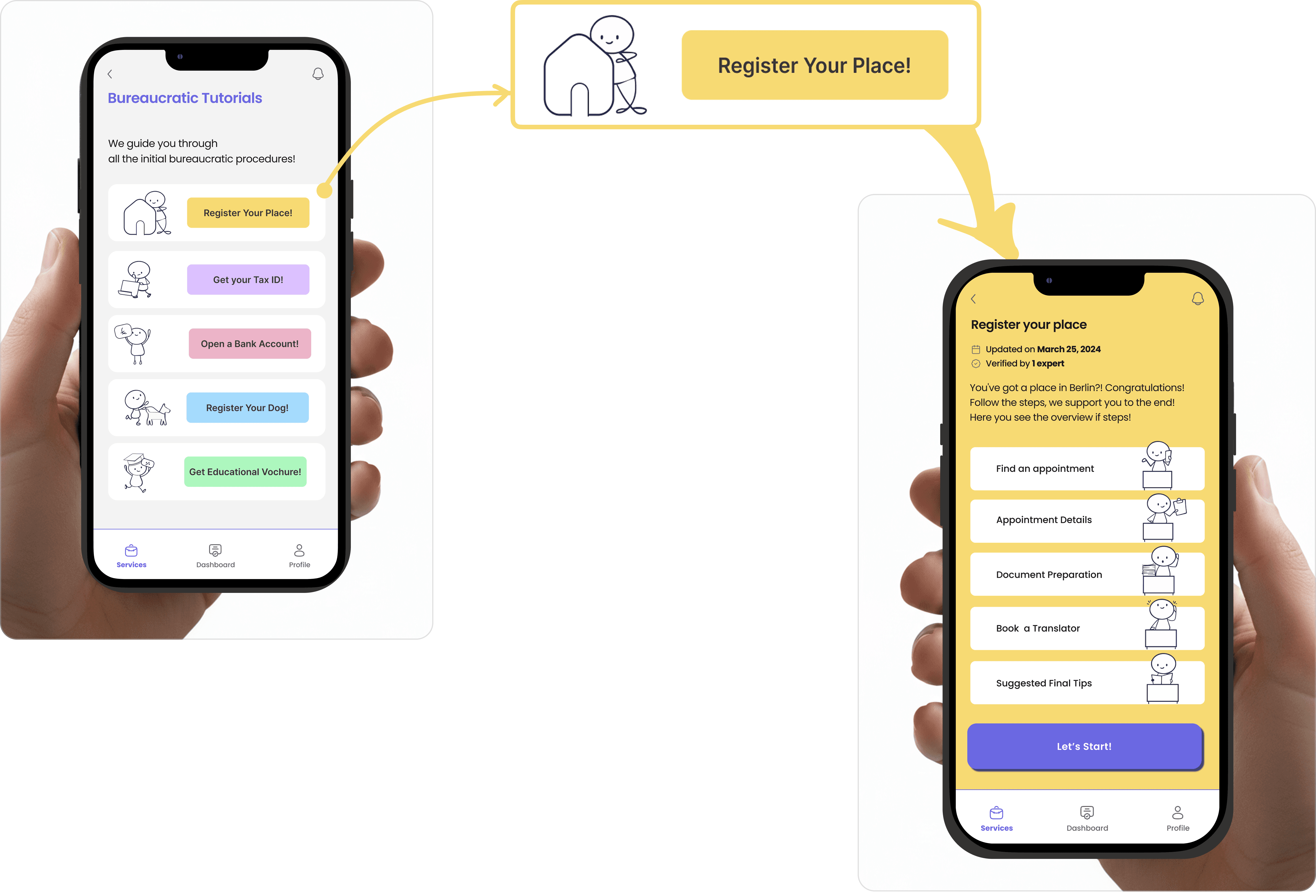
Each tutorial has a start page for the user to feel welcomed and concludes with a rewarding completion page.
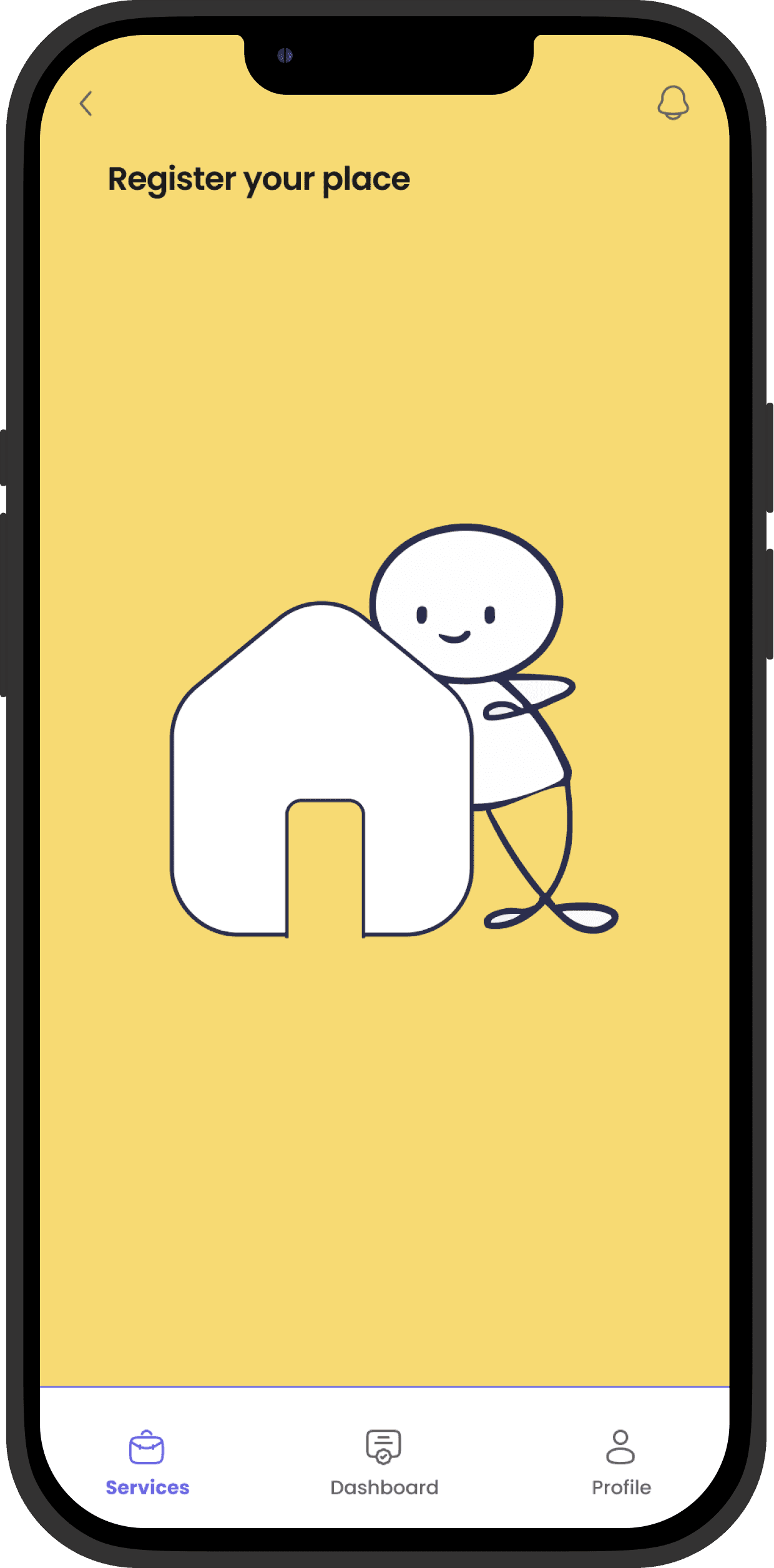
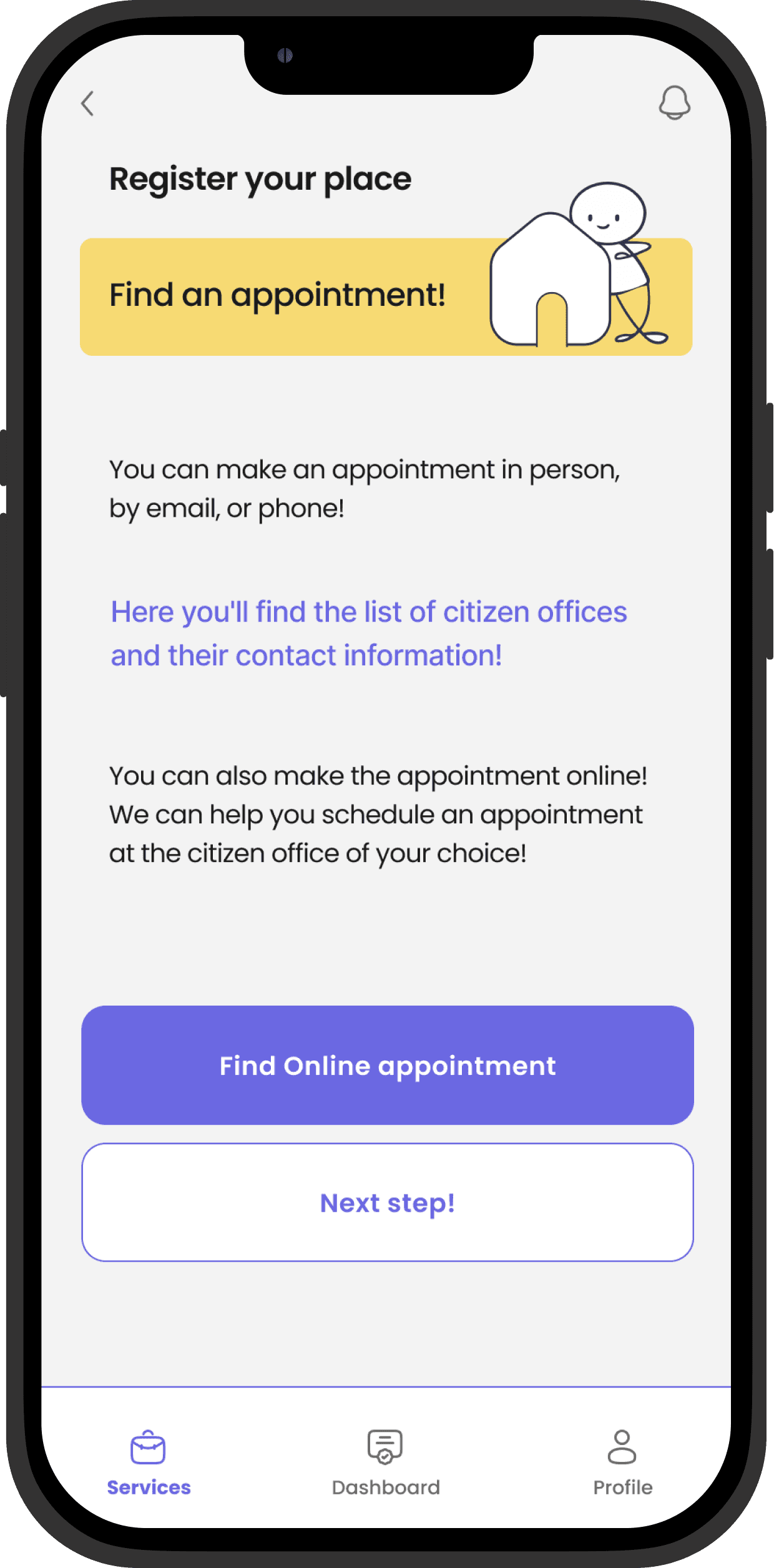



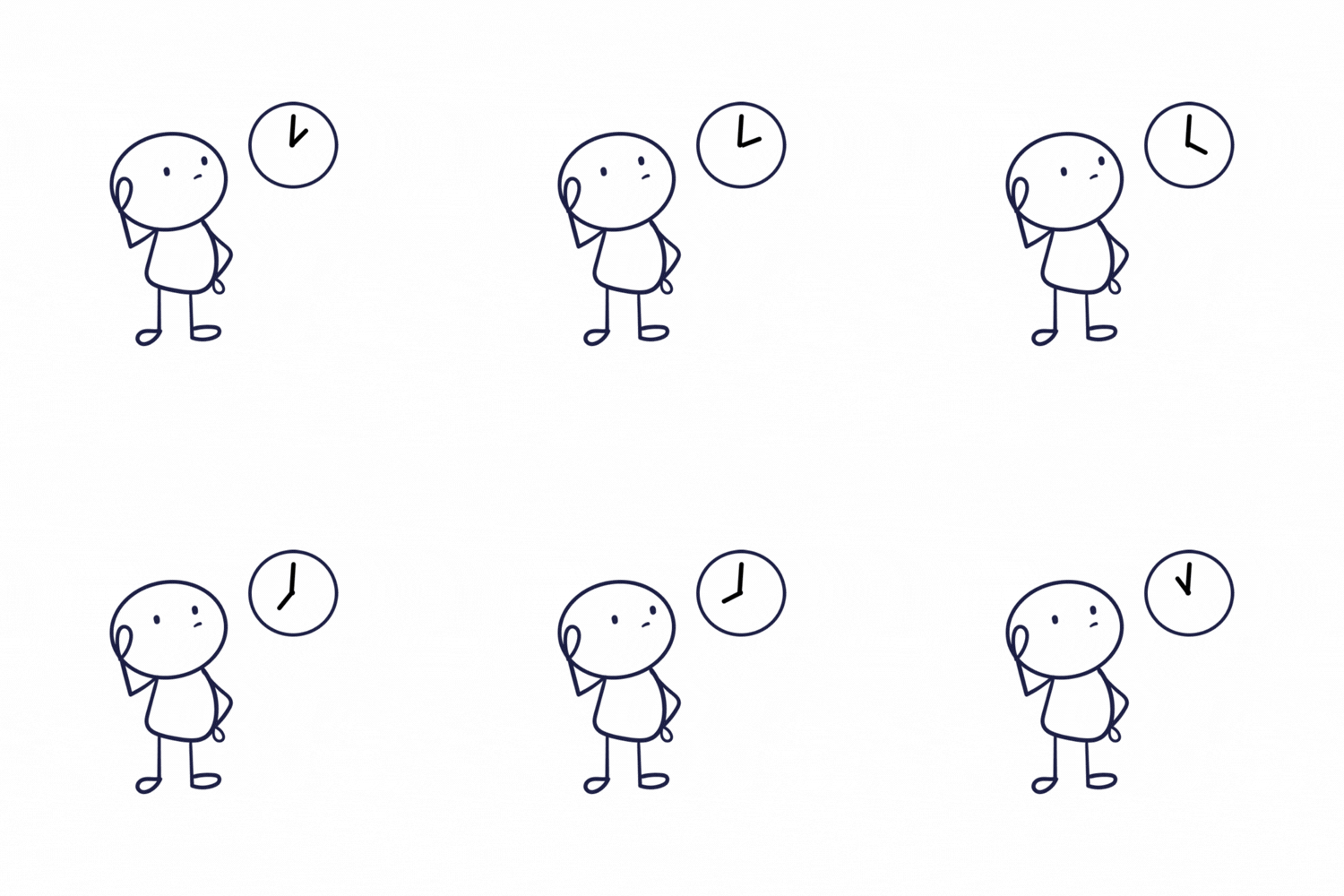
The moving character helps users feel less bored while waiting and provides a sense of companionship during the process.
Dashboard
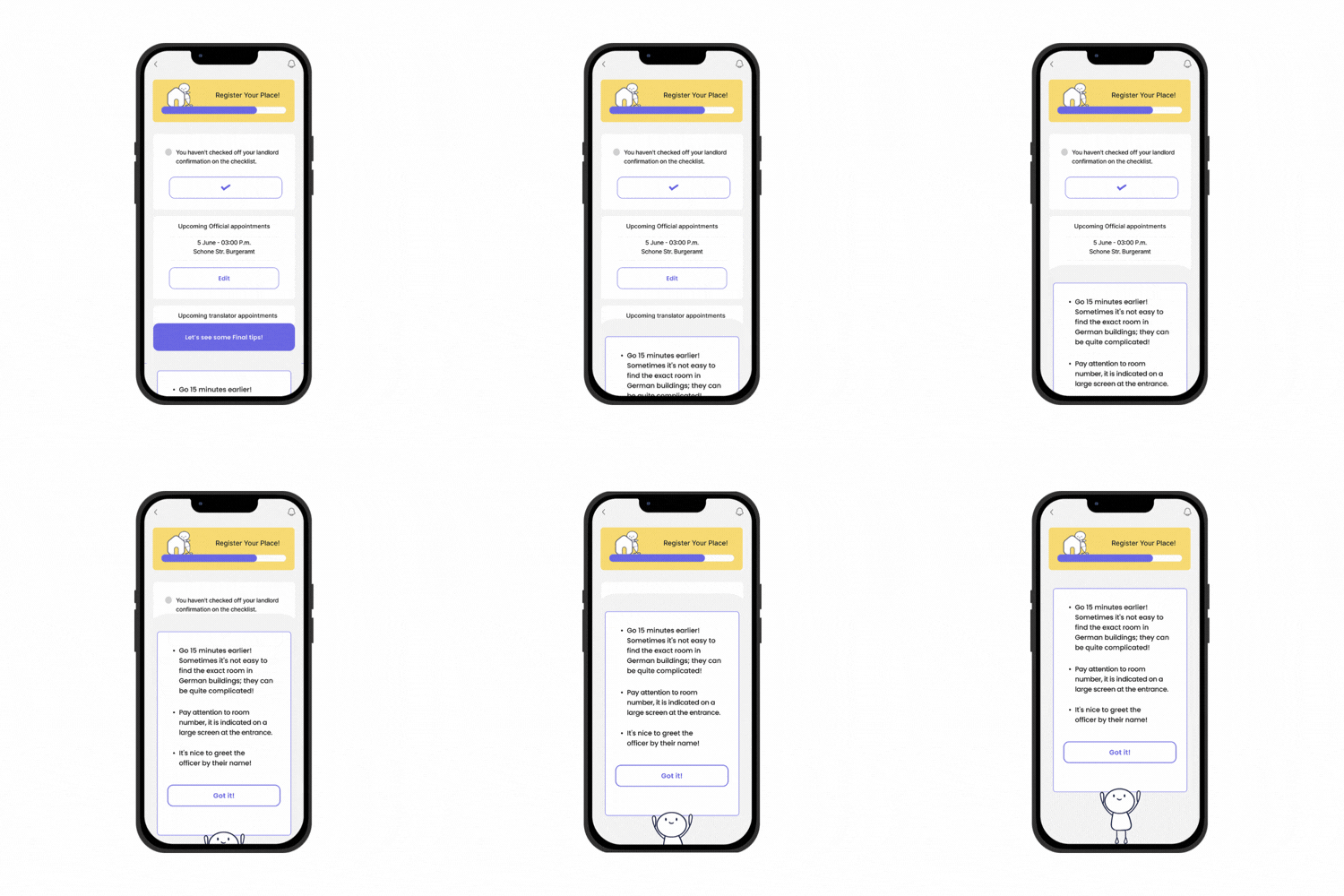
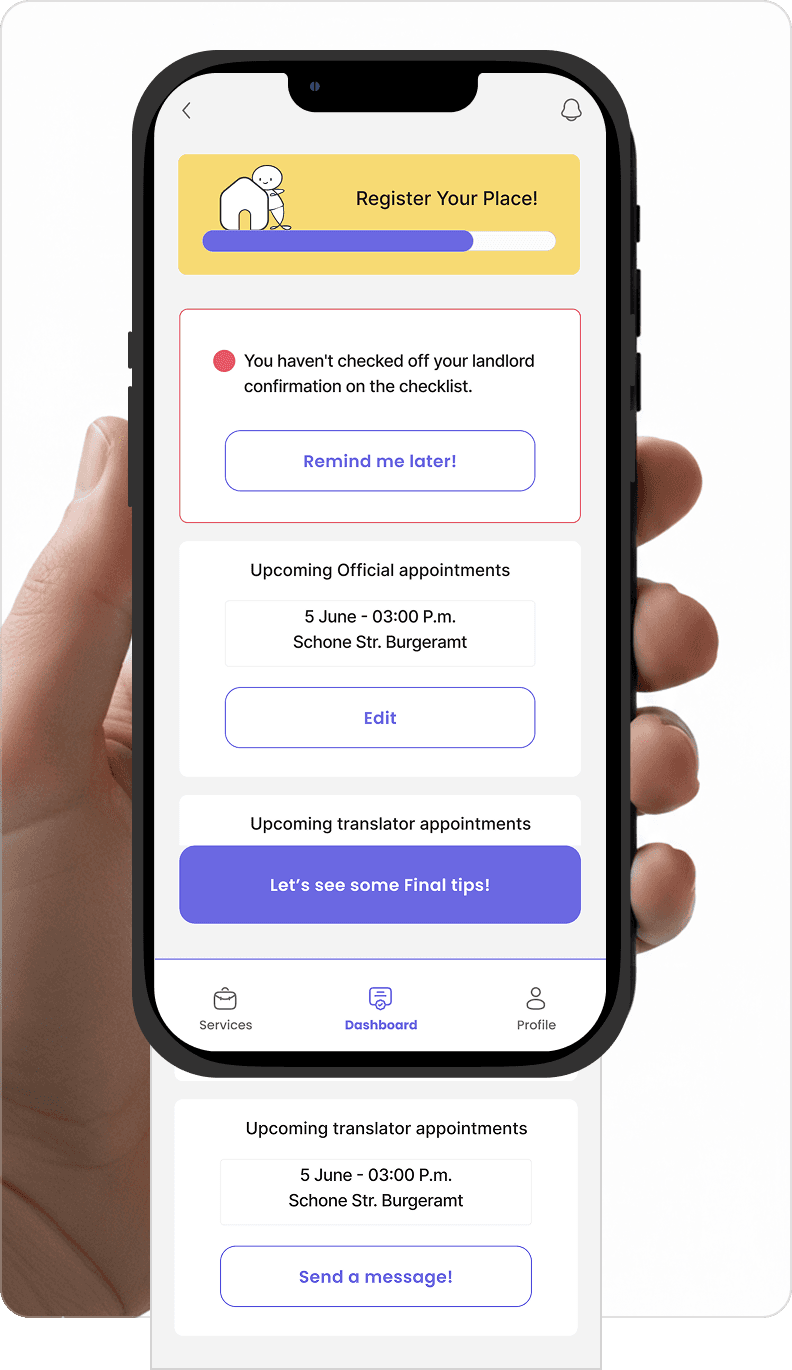
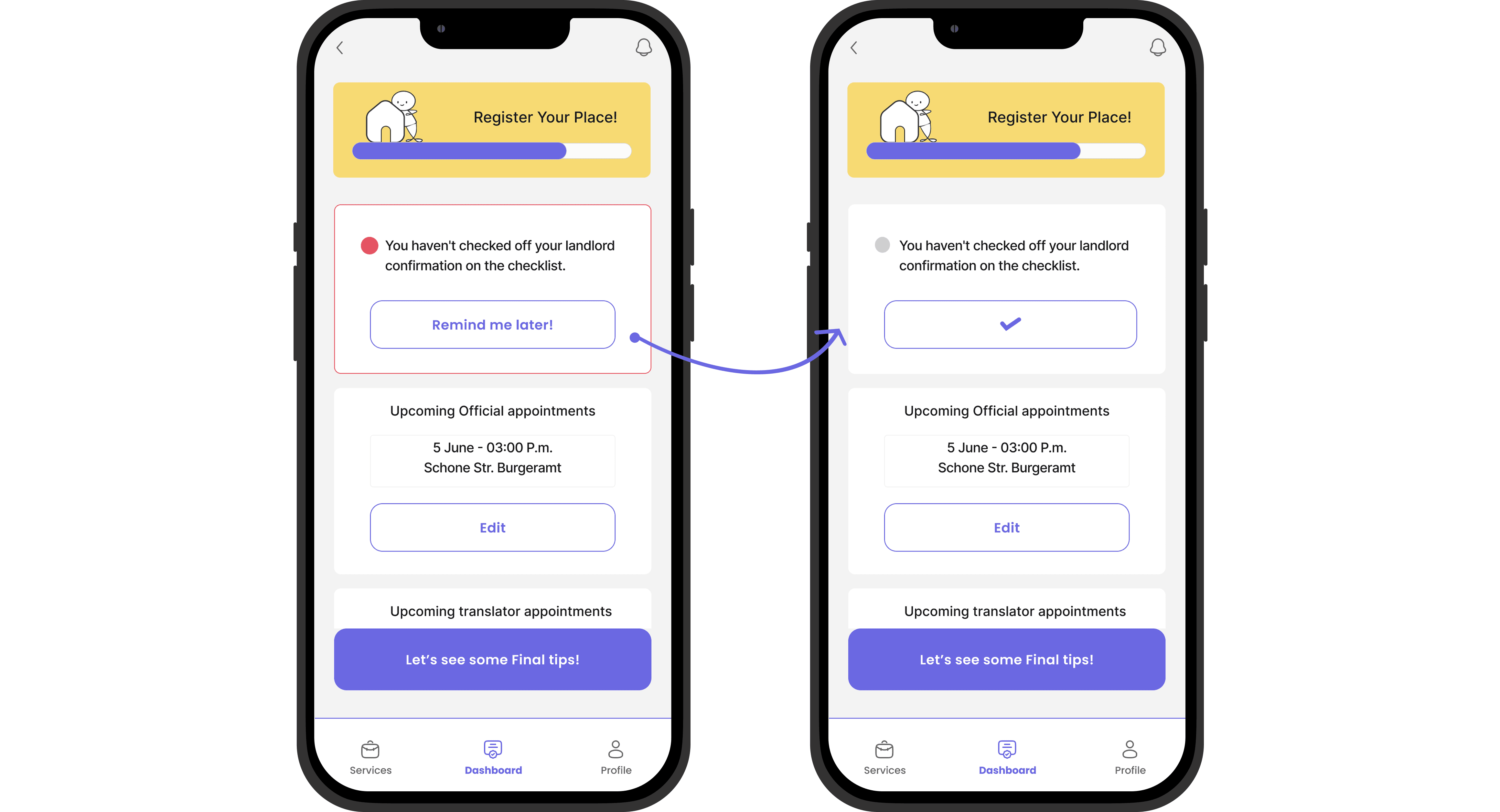
The dashboard shows the current status of different tasks and gives users a sense of control through its various sections.
Design Process
Let’s walk through how the design process started and evolved!
Timeline
Research
Information Architecture, User Flow, Wireframes
Style Guide Decisions,High fidelity and test
Week 1
Week 2
Week 3
Week 4
Tools
FIGMA | NOTION | CHATGPT | GOOGLEFORMS | VECTORMAGIC | GEMENIE
Secondary Research
Identifying User Needs & Market Gaps
Informative sources suffer from these pain points:
They are are heavy-text websites | Visual design is poor | Link aggregations are unstructured | Information is difficult to navigate
Primary Research
Regarding the market pain points, We formulated an initial hypothesis to first confirm this necessity.
Hypothesis
If Expats in Berlin have all the bureaucratic information regarding settling into the new country, organized within a single app and receive assistance in completing the required steps, they can go through the process of establishing themselves in the new country more effectively .
Hypothesis KPIs
The difficulty users curently experience navigating official German websites
The need to consult multiple sources of information
Improvement in user satisfaction when receiving assistance during task compeition
Research Goals
Investigate the user experience regarding:
Organization of Information
Completeness of nformation
Reliability of Information
Support services like translation available during the process
Recruitment Criteria
Target Group: Expats living in Berlin
SURVEY : 28 Participants | INTERVIEW: 4 Participants
Survey Insights
92% of users
need to consult multiple resources
to find enough information for each bureaucratic Task
79%
Is the degree of difficulty in navigating German websites
to find information on bureaucratic procedures.
The factors that most influence users to use a source of information regarding bureaucratic tasks. this text is just for filling

63%
Clarity and comprehensiveness of information provided in one app
27%
Recommendation from friend and family
11%
Other
The type of help or support users find most lacking while trying to navigate bureaucratic processes in Germany?
58%
Better organization of information
13%
Tips and Tricks advices
13%
Cheklist of necessary documents
16%
Other
Interview Insights
On the basis of the foundation we have made with survey results, we needed to delve deeper into the users’ needs and emotions regarding the four areas of our goals. We conducted interviews and analyzed the results. These findings led us to define the problem in five main sections and start ideating solutions for each.
Problem: The overall process has :
Too many steps to follow
Too many documents to provide
Too many details to remember
Solution: Designing a dashboard to keep track of processes and remind users of necessary steps .

Problem: Finding information on bureaucratic procedures in Berlin is challenging for users because the information is :
Scattered across various sources
Presented as long walls of text
Containing unnecessary information
Solution: Designing a step-by-step interactive tutorial on each bureaucratic procedure that provides users with a sense of guidance as they progress through completing each step.

Problem: Finding free appointments on official websites in Berlin is difficult. users need to regularly refresh the citizen office website to find an available one.
Solution: Designing a feature to “Find and Register for free appointments” on the citizen office website.
Problem: The German language barrier affects expats in completing their bureaucratic procedures.
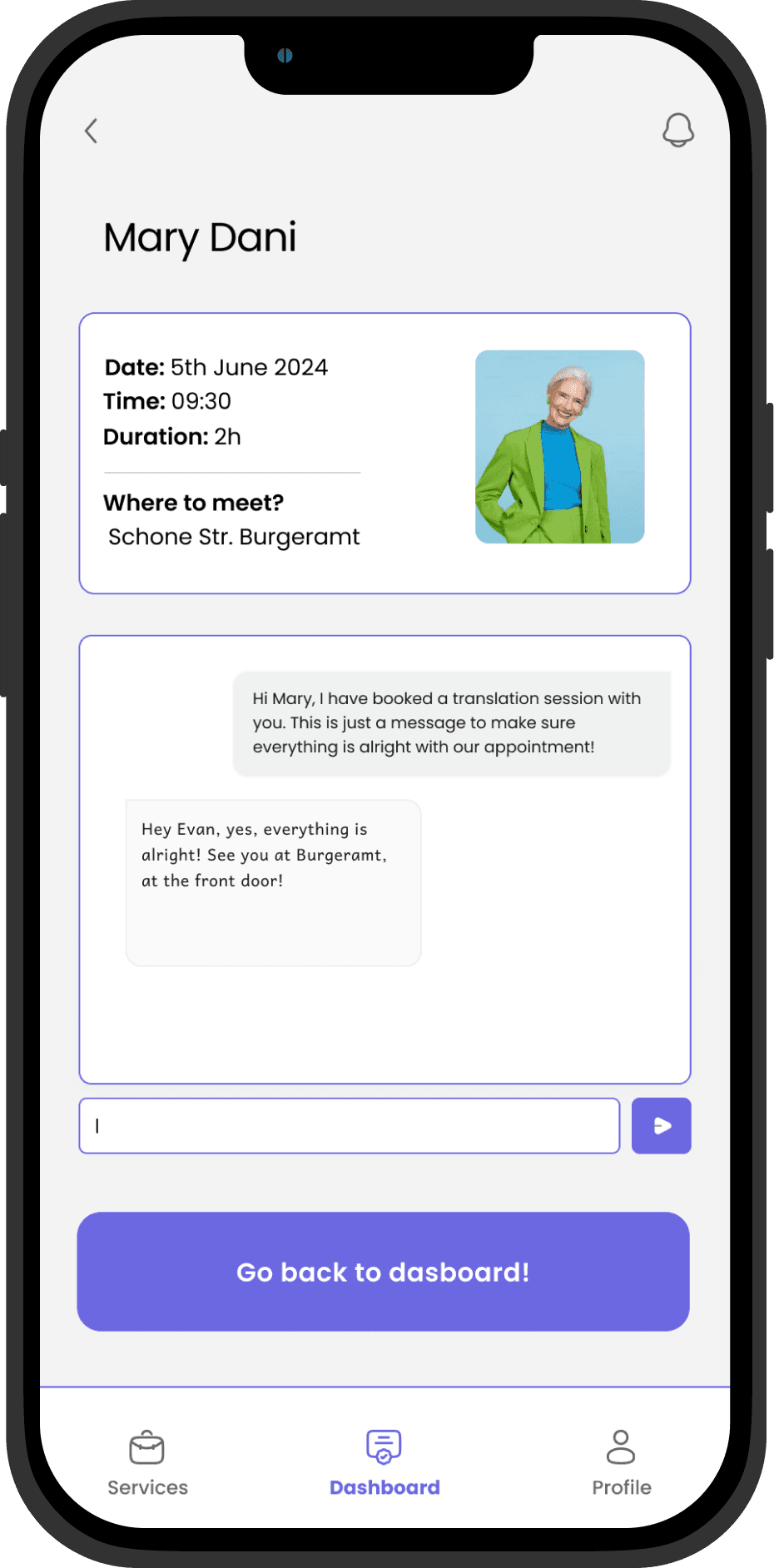
Solution: Solution: Designing a "Book a Translator" feature to accompany users to their official appointments.
Problem: Users struggle to find a reliable source of information.
Solution: Make the information reliable, as it is verified by experts and recommended by friends who use the app based on the user's contacts.
User Persona
Elin Paperwork-Lives in Berlin

Elin overal Status
Bureaucratic tasks completed
Free time spent on bureaucratic tasks
German Language Level
Friends Available to help him
Pain Points
Confused about the exact steps of bureaucratic procedures
bored of consulting multiple sources
stressed about making mistakes
Stressed about communicating in German at government offices
Motivations
Having access to:
A reliable source I can trust
Step-by-step guidance through procedures
Reminders for important details
Support with the German language
Clear, organized bureaucratic information
Design Principles
Based on our research findings, we established our principles on these three pillars:
Organization
Clarity
Support
Challenge
We had a mentoring session with a web developer to assess our planned features. We identified a challenge and outlined the solution:
Designing a feature to "Find and Register for free appointments" is Technically feasible. However, due to challenges, it may not be logistically viable considering business issues. [It could be implemented with a robot, but the official website may restrict the robot's access due to security concerns, thus requiring constant further developments.]
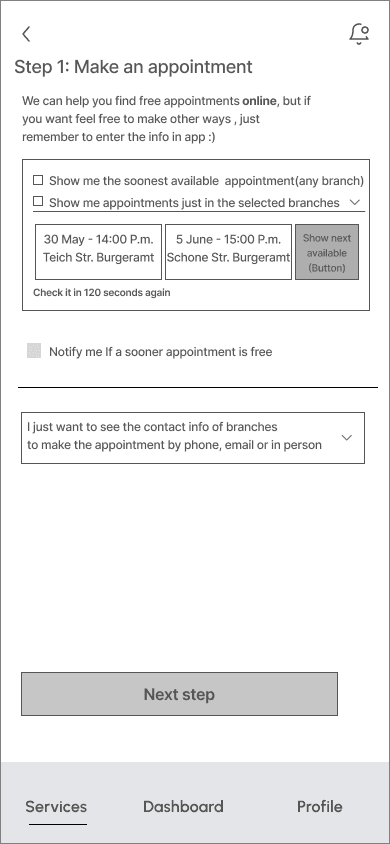
Alternatively, we could offer a feature to simply "Find" free appointments and send notifications to the user so that they can register them on the official websites.
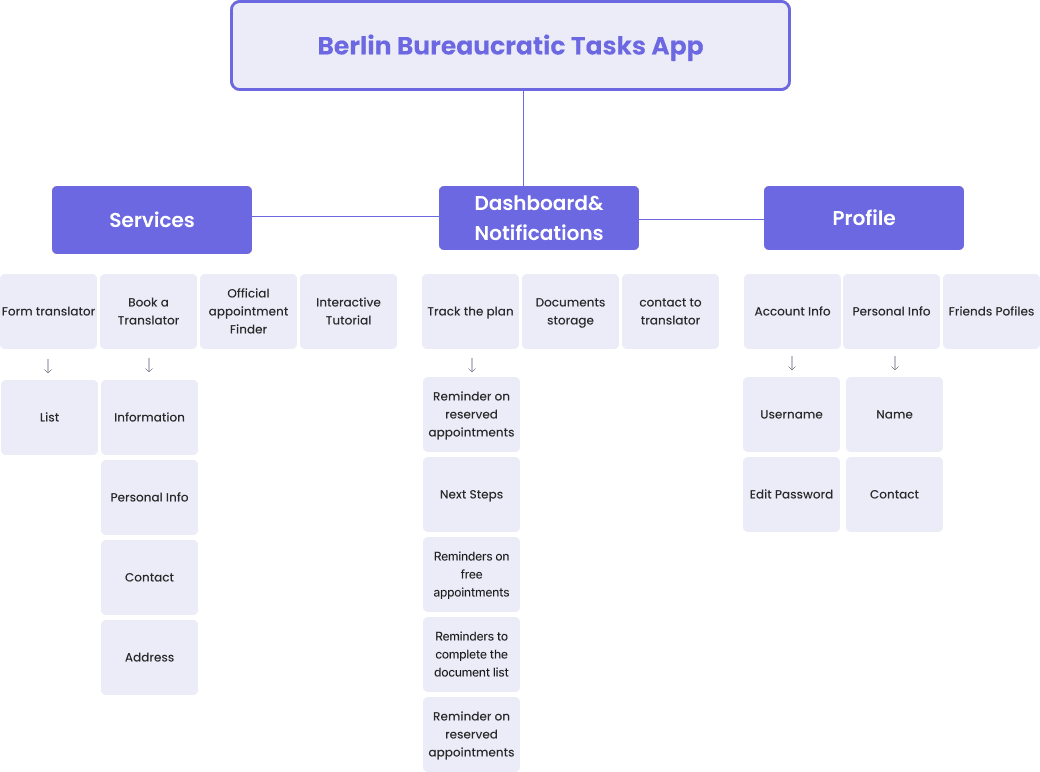
Information Architecture
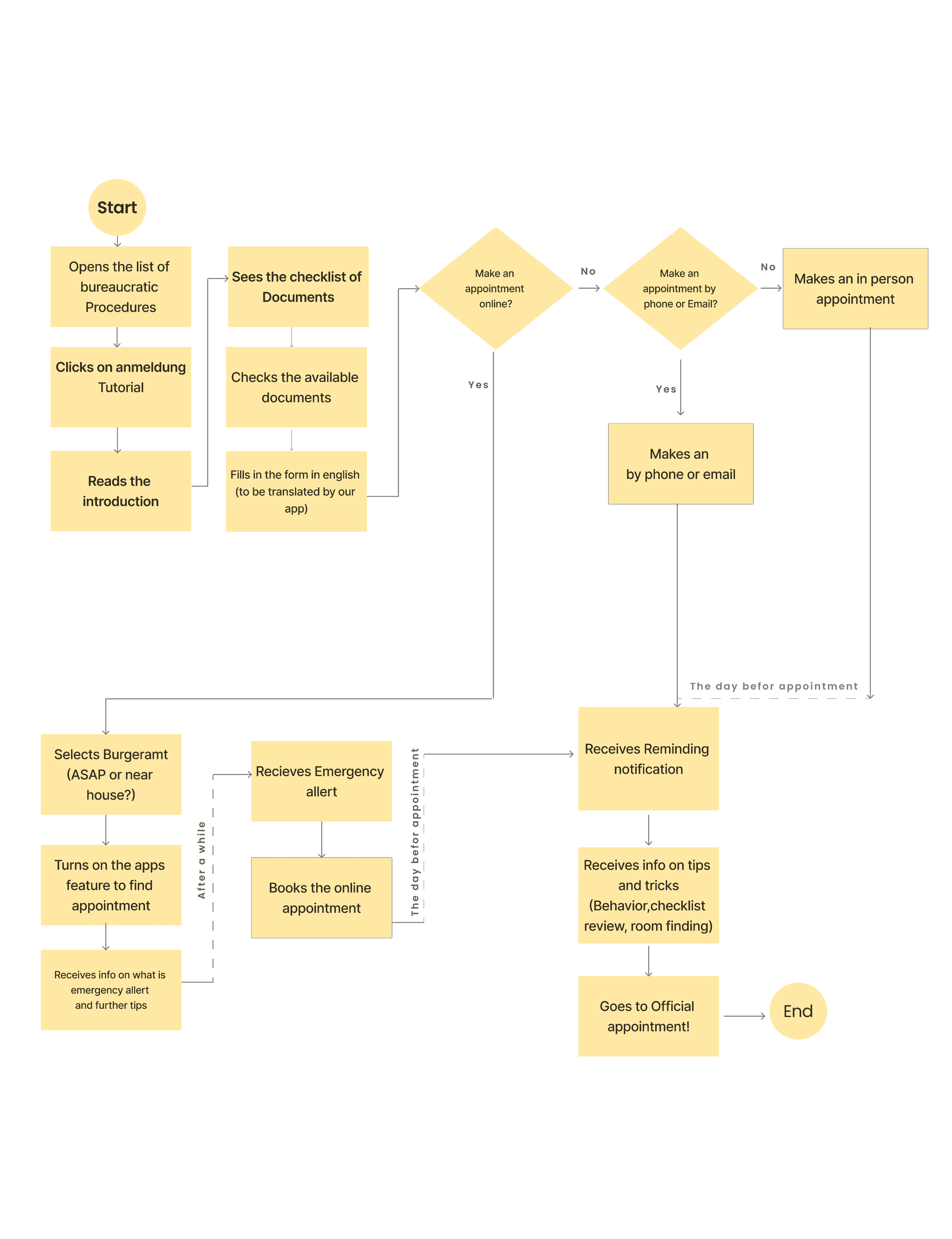
User Flow
Wire Frames
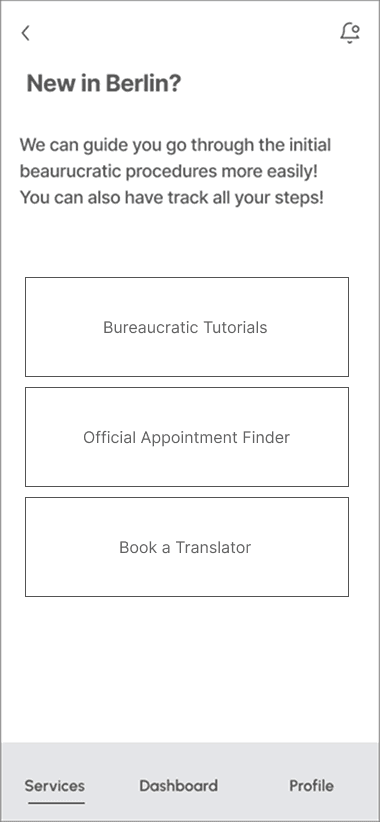
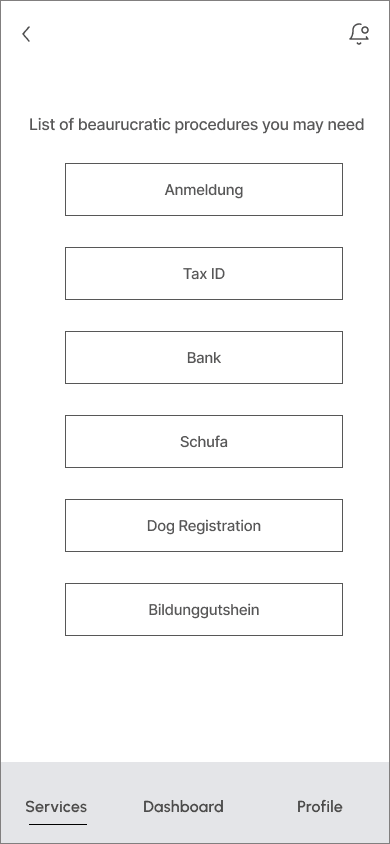
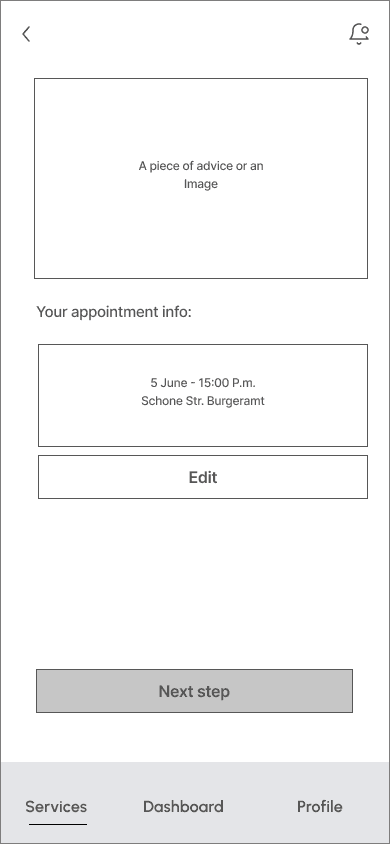
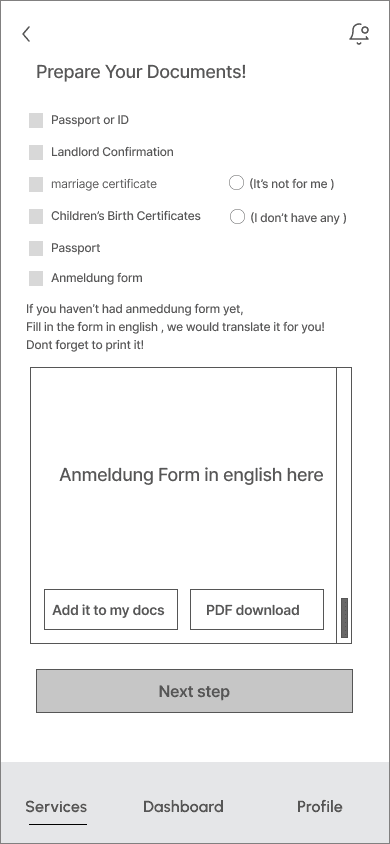
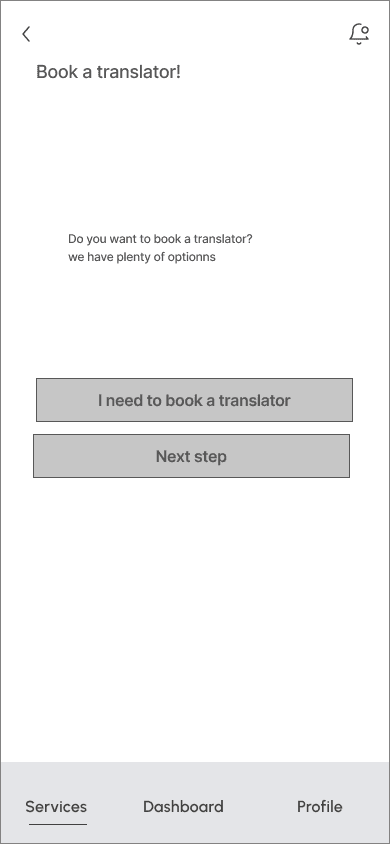
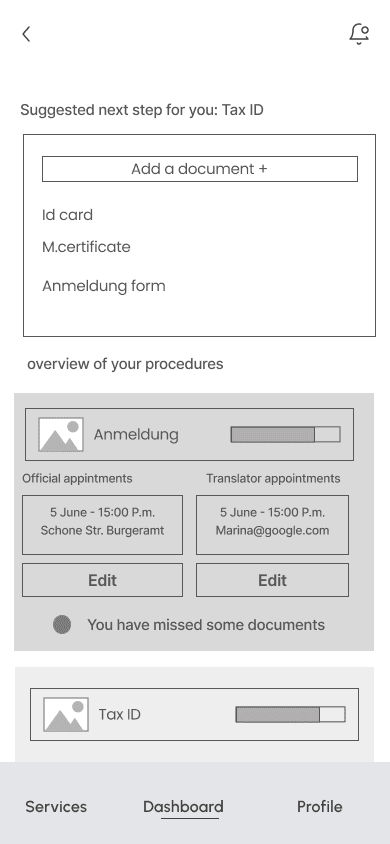
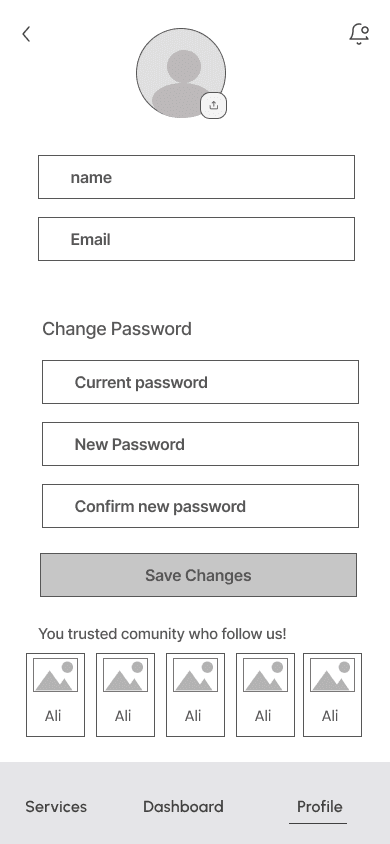
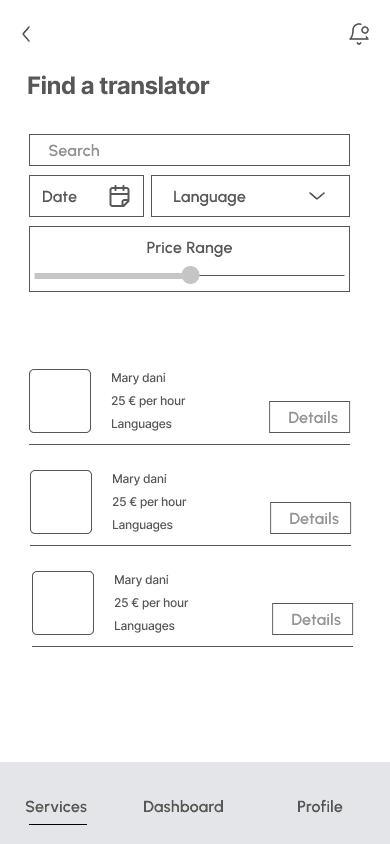
Wireframes were used to structure the information architecture and ensure a clear, intuitive user flow early in the process.
Services > "Register a Place" Tutorial


Dashboard and Profile
Book a Translator


Style Guide Decisions
on the basis of our design principles we founded our style guide decisions, We wanted to achieve a feeling of seriousness, but also wanted the app to feel motivating and be a little playful as well.
Organization
Clearness
A Minimal design
Color coding for each procedure
Clear yet mild and curvey Font
Support
A fun and gender-neutral character
to accompany users throughout the
whole process!
A vibrant color palette resembling joy
serves as an emotional support
to reduce users' stress and boredom.

Concept Colors
Color1
F7DA73
Color2
#DCC1FF
Color3
#EBB4C8
Color4
F7DA73
Color5
#DCC1FF
Primary
#EBB4C8
Status Colors
Success
#F48C13
Error
#F48C13
Warning
#F48C13
Text Colors
Color1
#F48C13
Color2
#6E6E6F
Hi-Fi Prototype
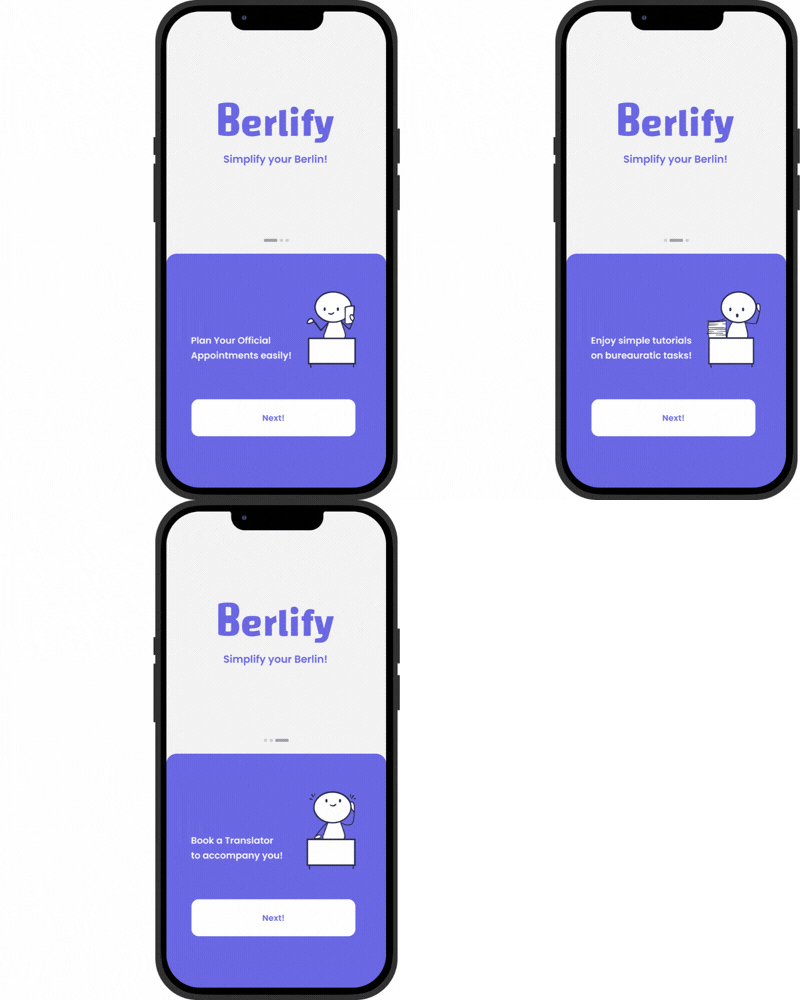
Onboarding
From the start, we wanted to give the user a sense of having someone to accompany them during the process by adding this gender-neutral character.
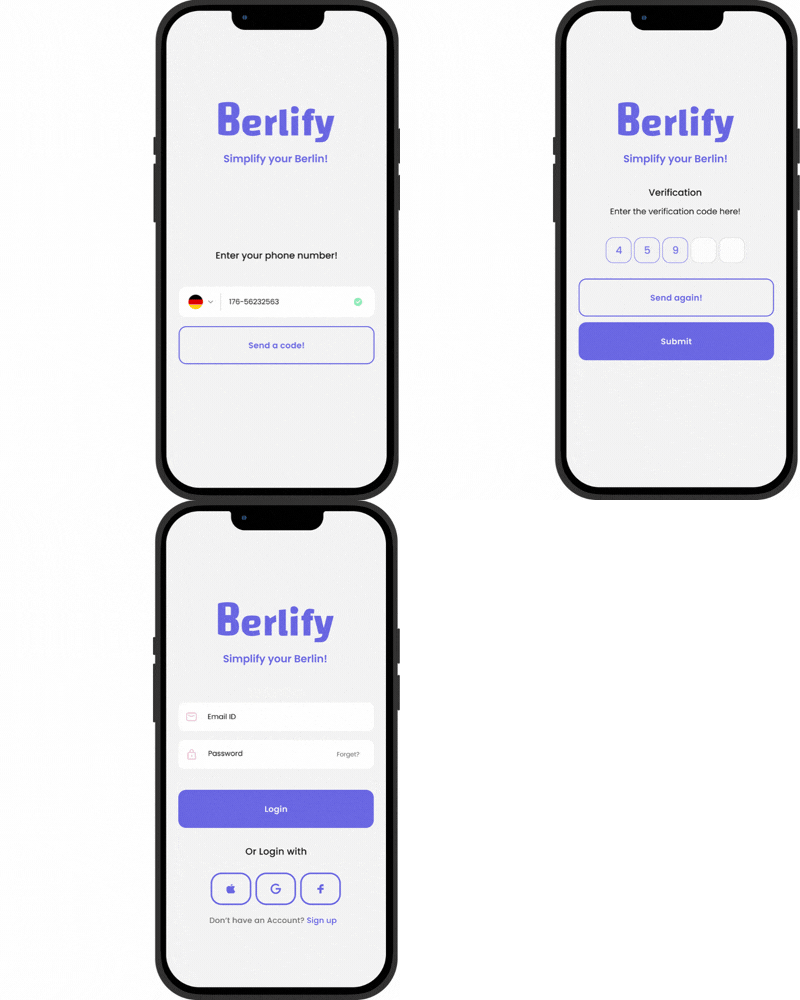
Login
Services
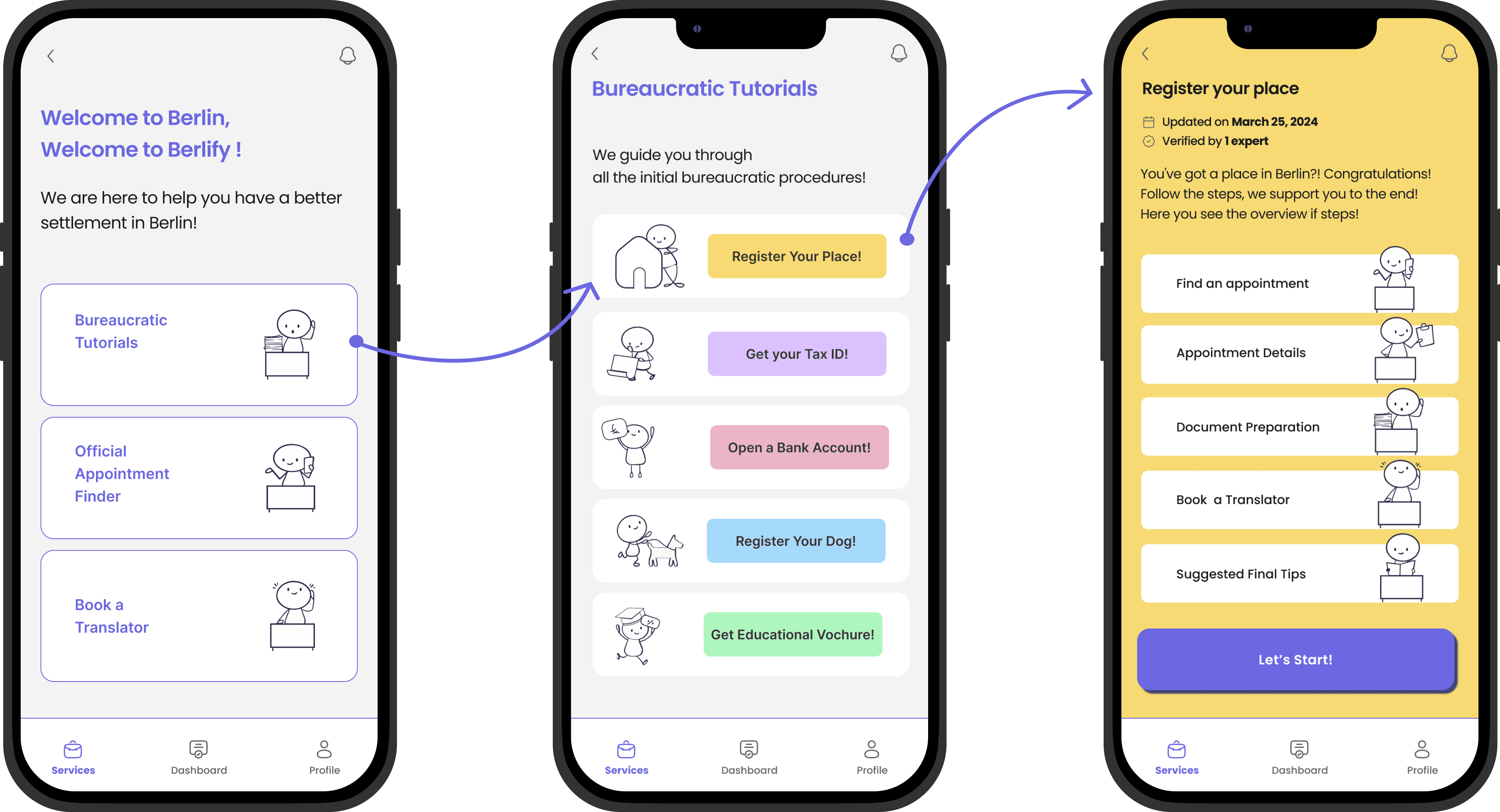
Register your place - main features
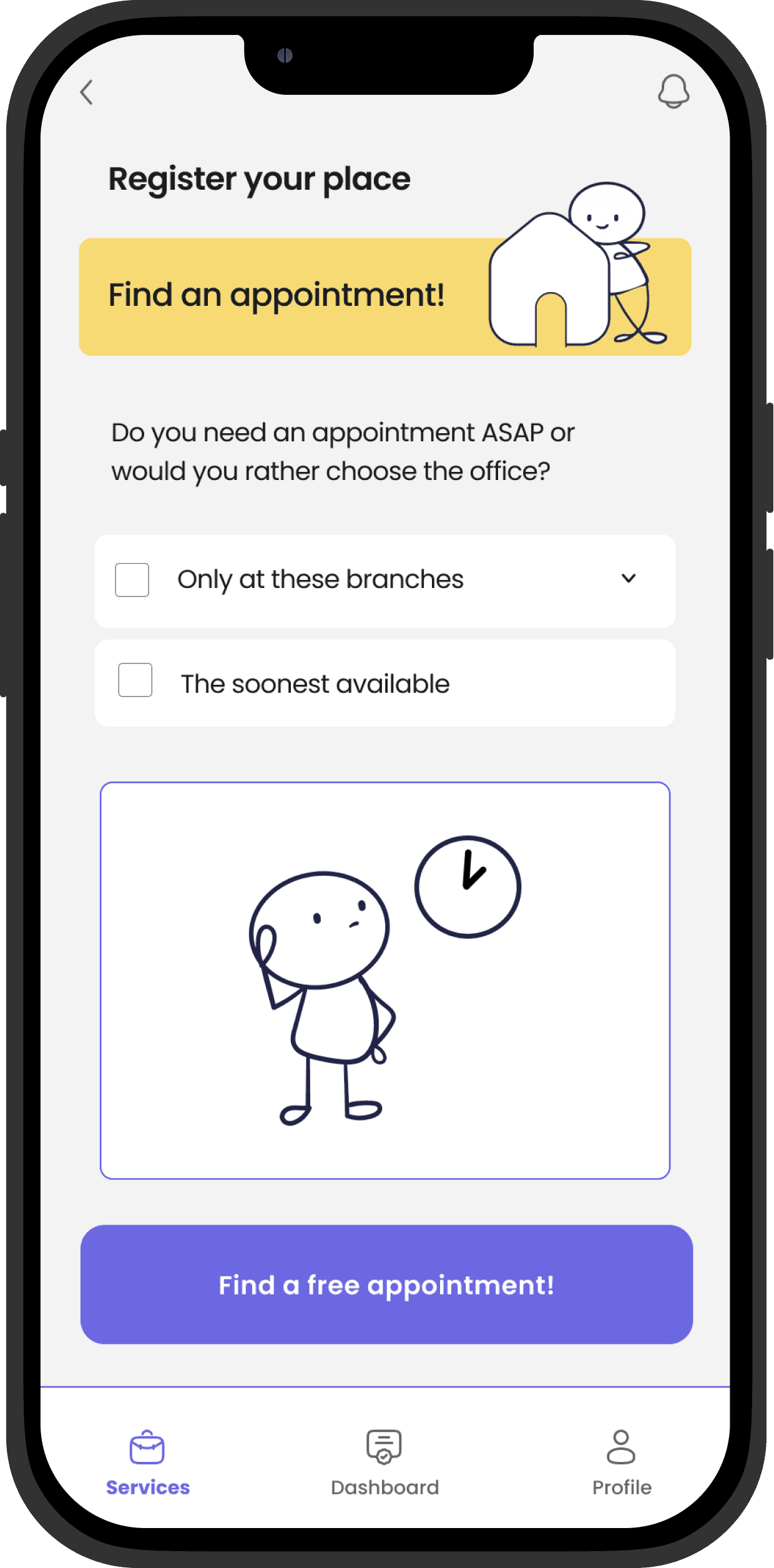
Find an appointment
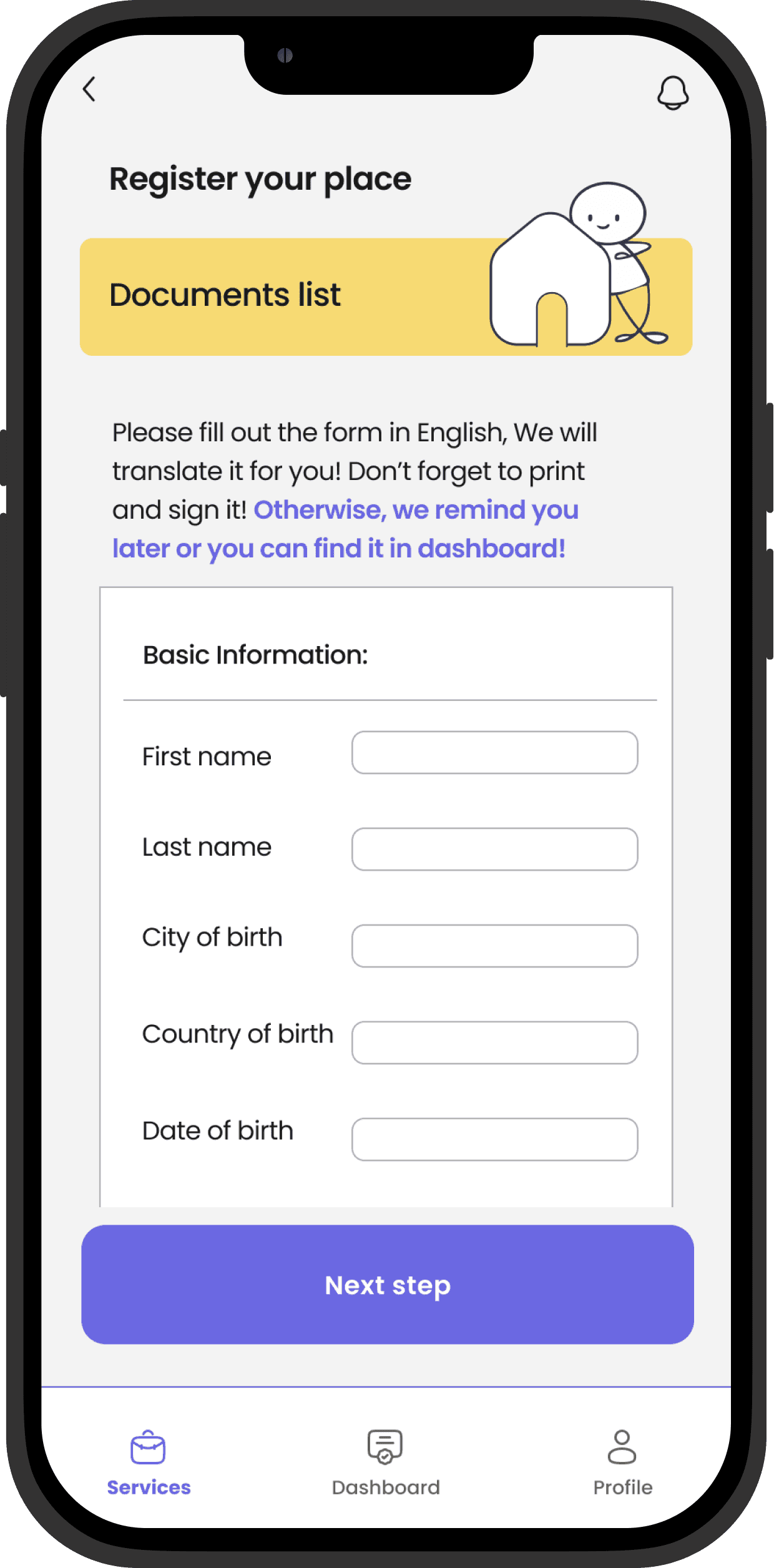
Review the Documents List
Find a translator

Dashboard
The dashboard shows the status of the current bureaucratic procedure and a list of tasks that need attention
Usability Test
After designing the first hi-fi frames, we tested them with three potential users and identified common patterns.Here are the key changes applied.
Before
After

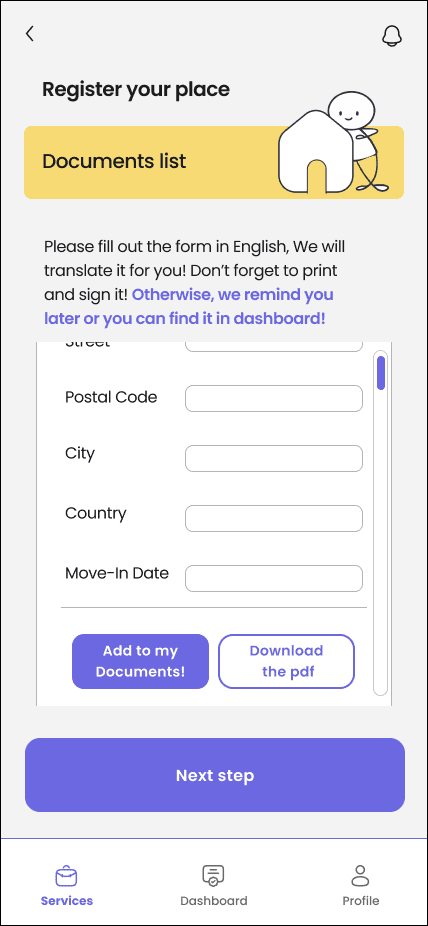
In the “Register Your Place” process, users fill out a form in English that is later translated into German. Since it can be completed later, this information was moved to a more prominent position on the page so users don’t miss it.

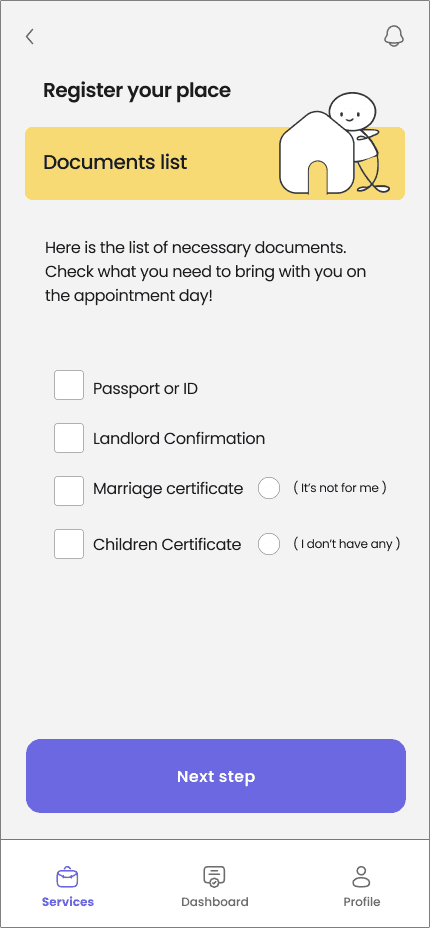
Throughout the entire design, the sizes of some checkboxes and radio buttons were too small, causing users to struggle to touch them. They needed to be resized.
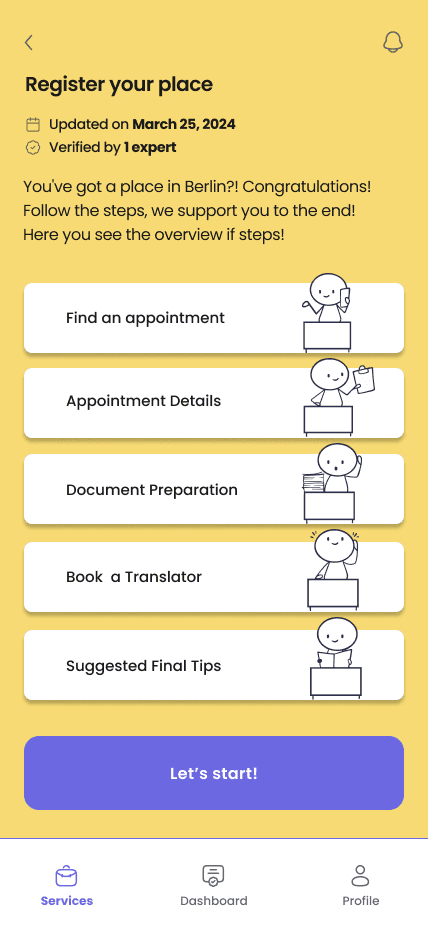
Overview of the steps in the “Register Your Place” tutorial were designed as separate rectangles, which users mistook for buttons. After testing, the shadows were removed and the main action button was made more prominent
